Version 1.0 | Last Updated: 10 July 2026

How to Purchase Crashzone Coins
|
Step |
Description |
|
Step 1 |
Open the Payments Page |
|
Step 2 |
Choose a Coin Pack |
|
Step 3 |
Pay Securely |
|
Step 4 |
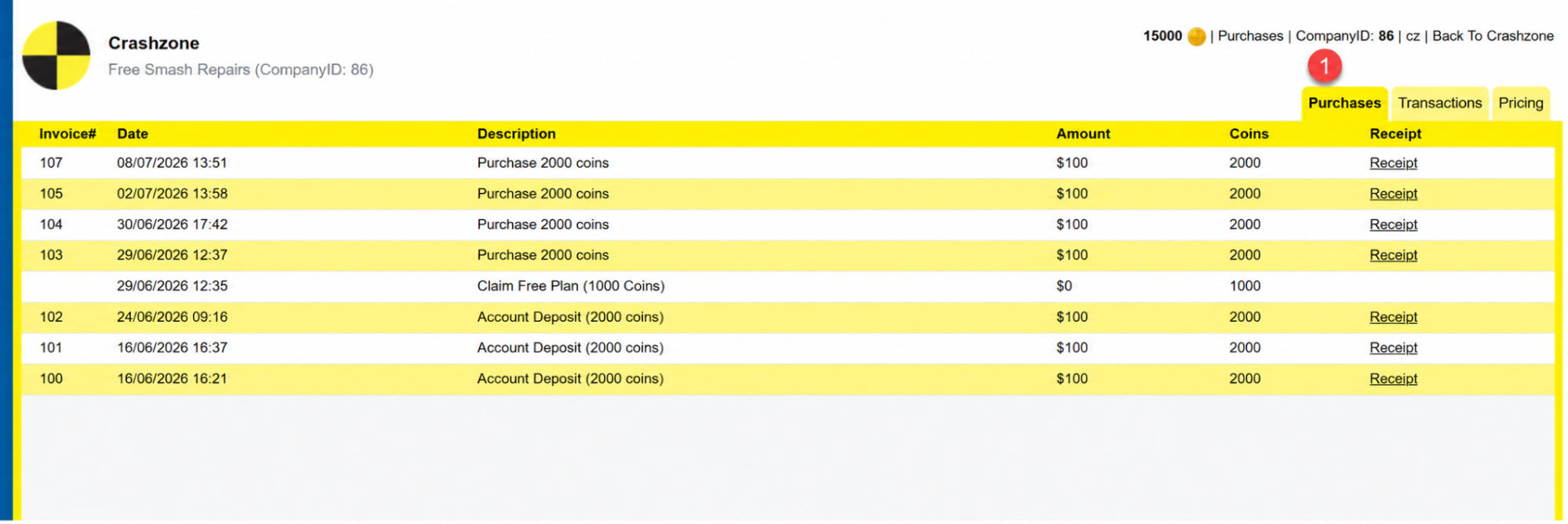
View Your Purchases |
|
Step 5 |
View Your Transactions |
|
Step 6 |
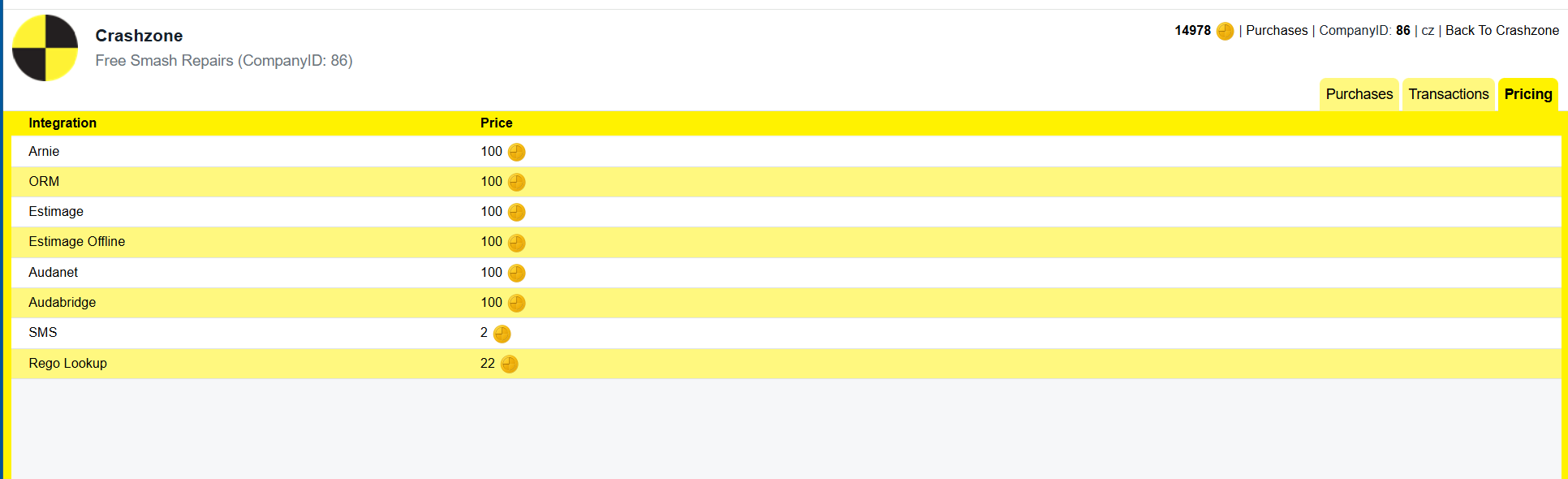
Check Integration Pricing |
Step 1 – Open the Payments Page
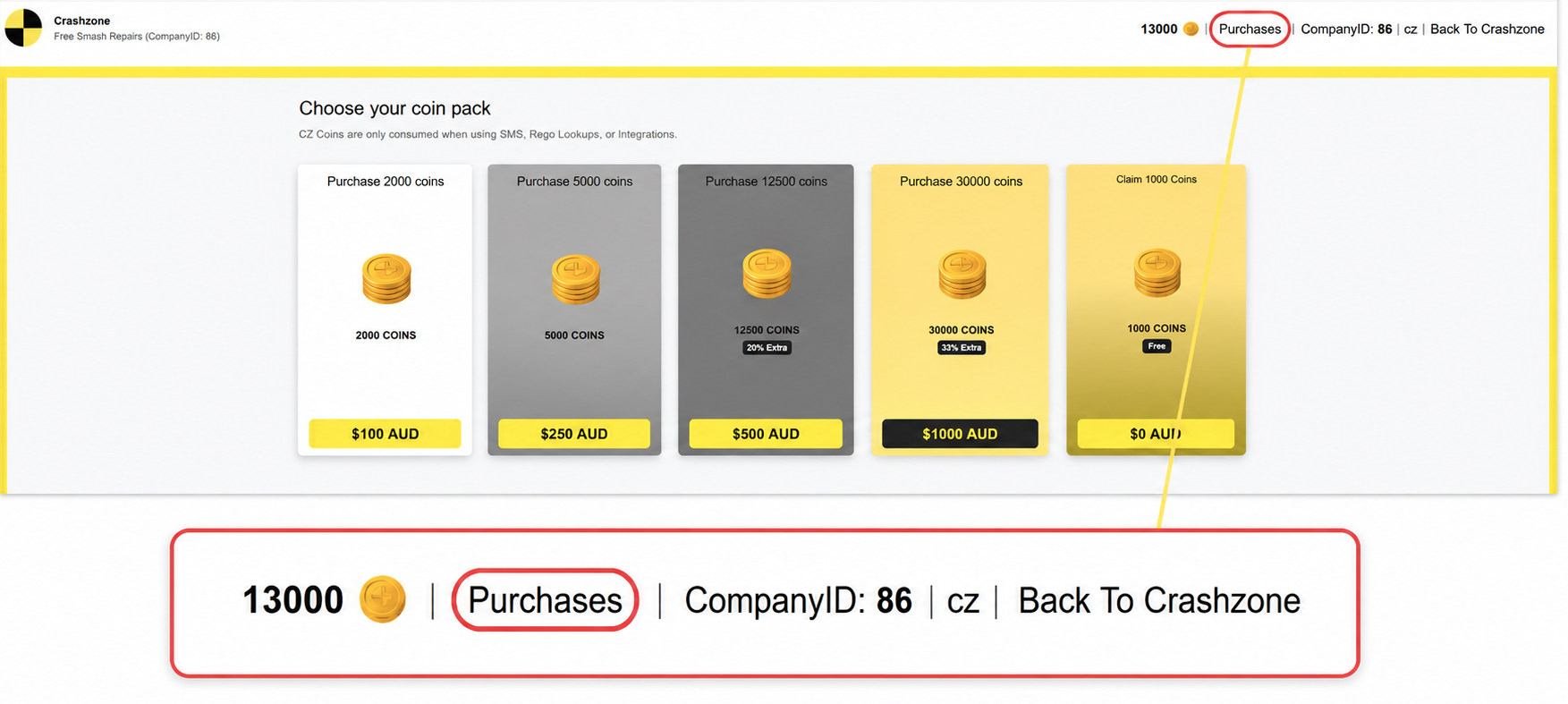
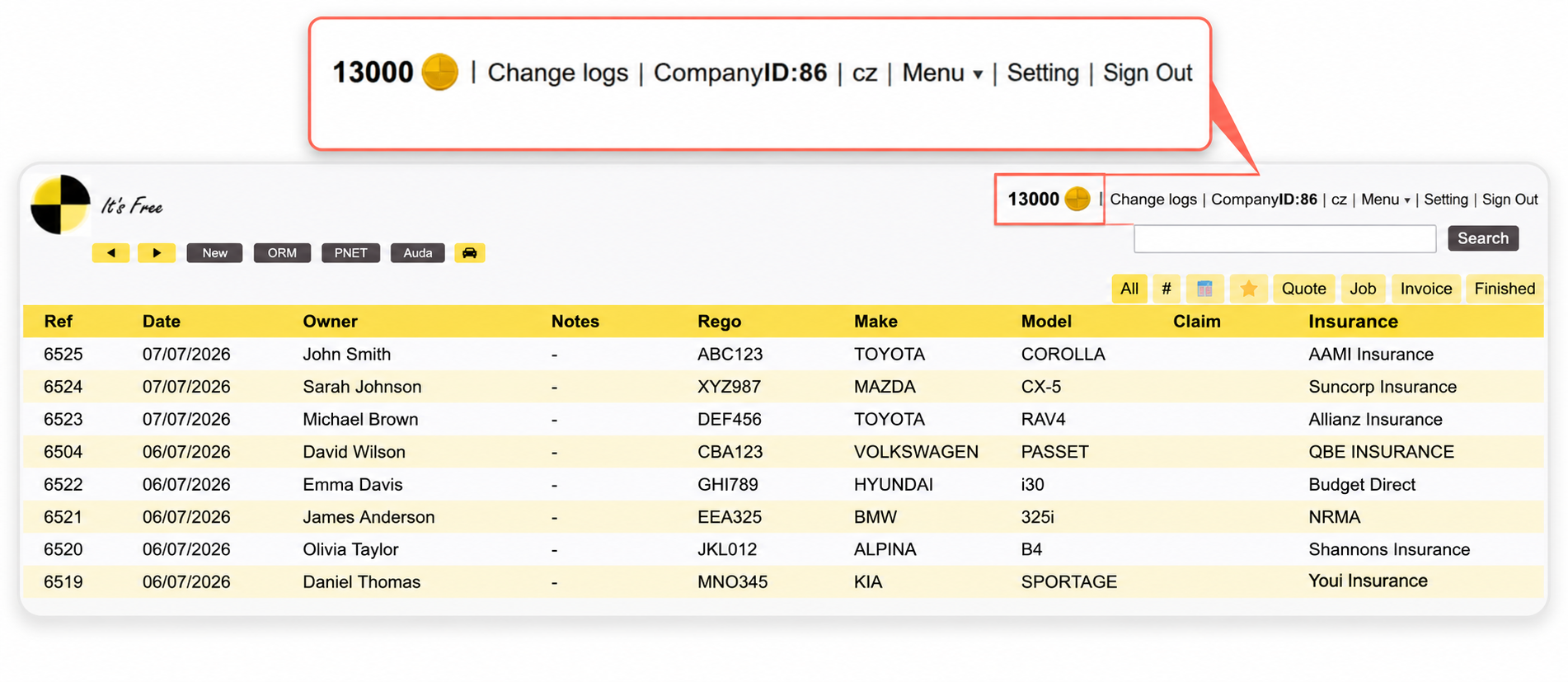
Once you're logged into Crashzone, click the Coin icon in the top-right corner of the screen.
Step 2 – Choose a Coin Pack
Select the coin pack you would like to purchase.

Step 3 – Pay Securely
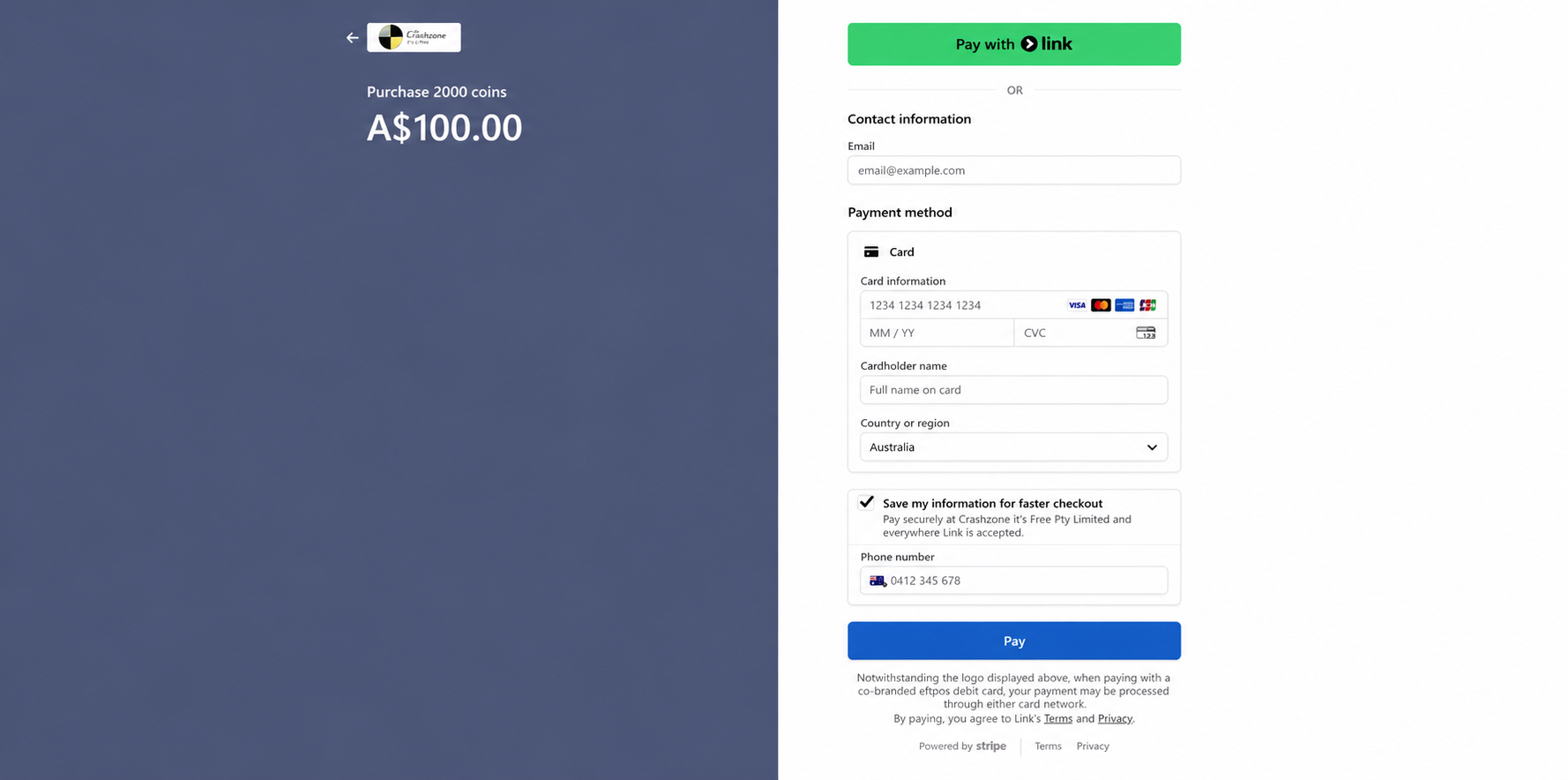
Enter your payment details and click Pay .
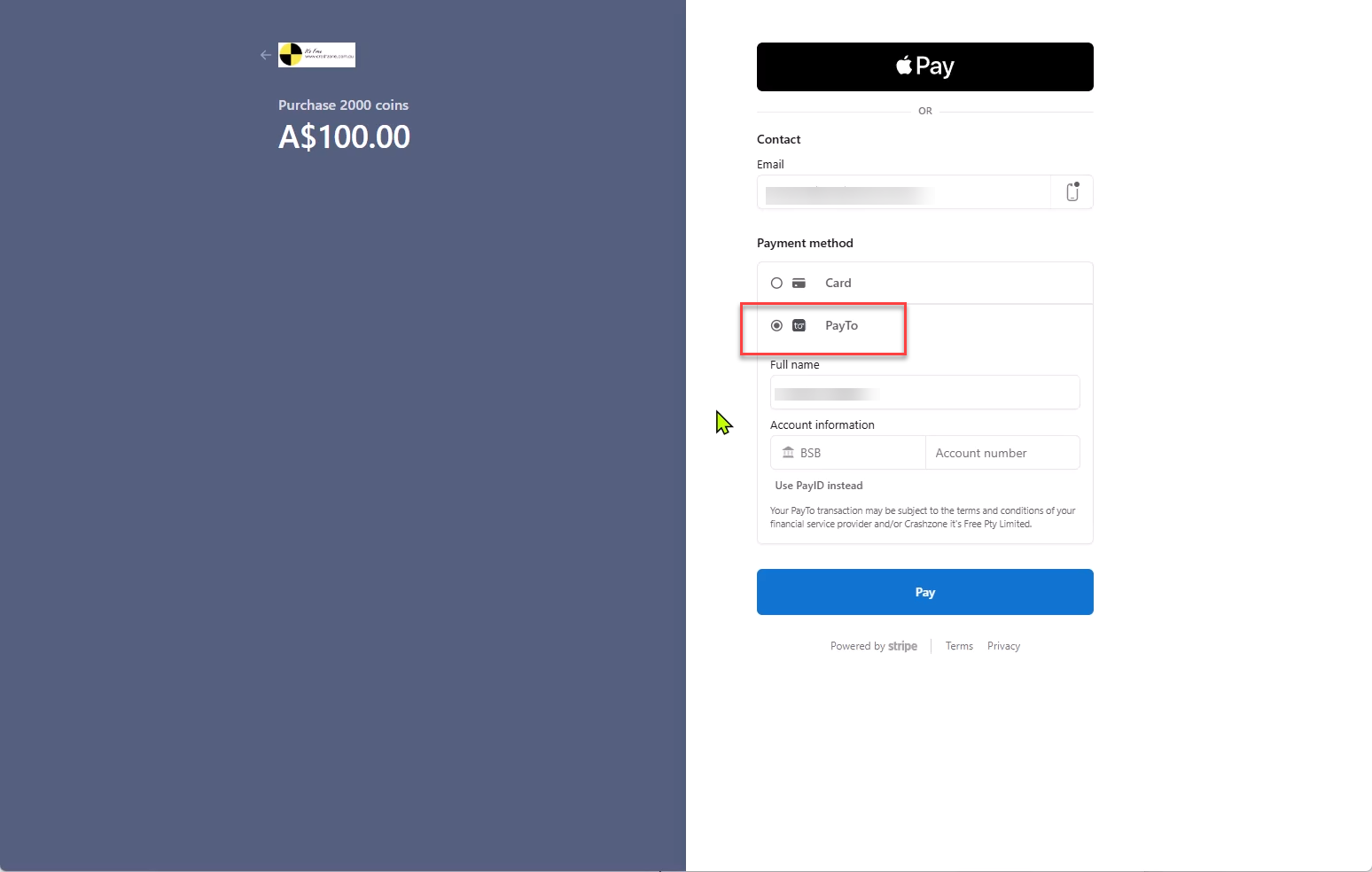
Choose your preferred payment method:
- Card
- PayTo (bank account)
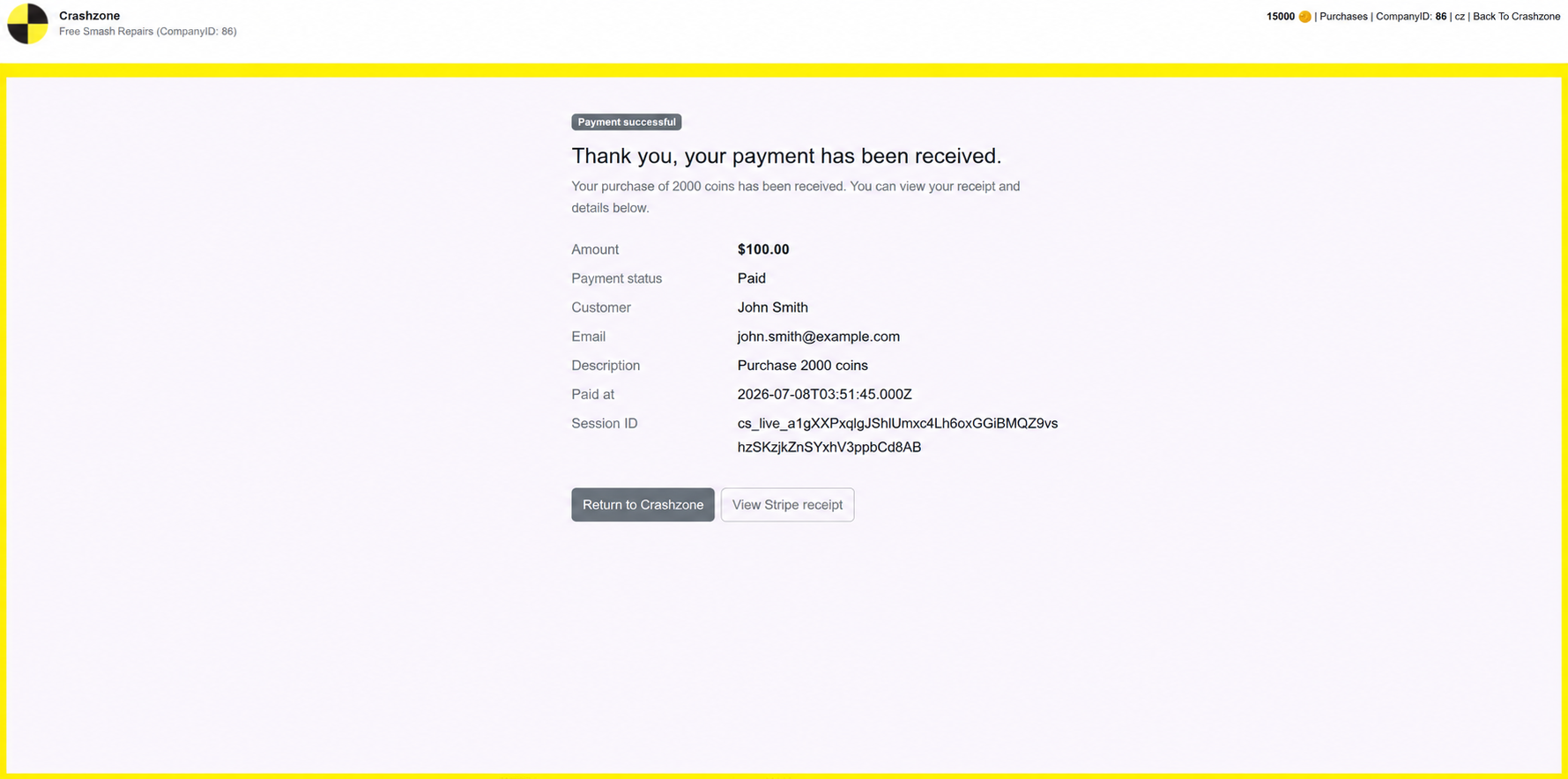
Once payment has been processed:
- Your coins are added to your account immediately.
- Your coin balance is updated in the top-right corner.
- You can return to Crashzone or download your payment receipt
Purchase via card debit or credit card
Step 3 – Pay Securely (Continued)
Pay to using your bank account BSB and account number