
Important notice:
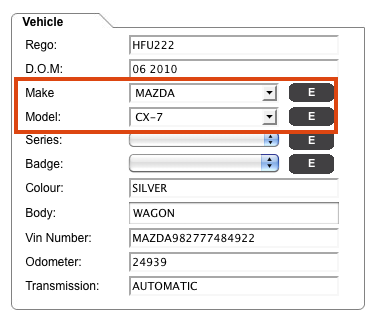
Any customer that is having an issue with the make and model in the details page being overwritten with the incorrect information, please follow the guide below to delete the temporary files and cookies from your computer to allow the latest changes and fixes to be uploaded. please contact support@crashzone.com.au if you are still having any problems with the make and model.

( internet explorer users )
* from your web browser click on tools
* Click on internet options
* Click on delete in browsing history
* Click delete files
* click delete cookies

( Firefox users )
* Click on tools
* Clear private data
* Tick options Chace & Cookies
* Click clear private data now