Purchase CZ Coin | Crashzone 1.1 Web | Crashzone 1.1 App | ORM | ARNIE | PNET | Partscheck | Audatext | Estimage |


Setup Arnie
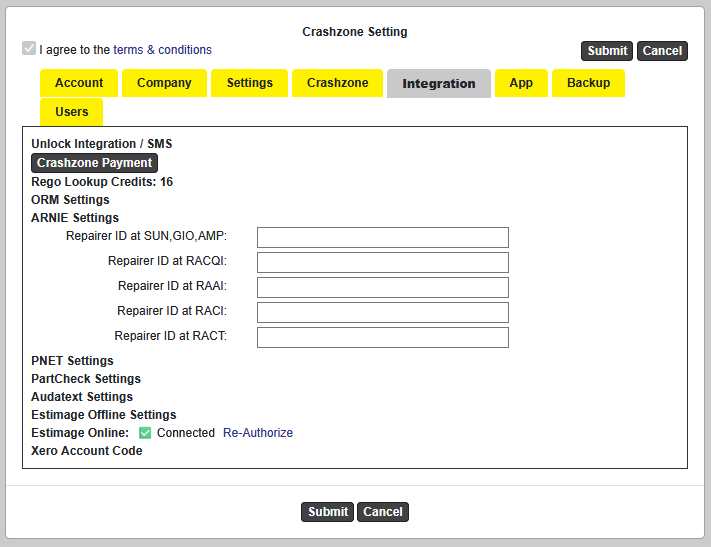
Enter the Repairer ID for the relevant branches below:
- Repairer ID for SUN / GIO / AMP
- Repairer ID for RACQI
- Repairer ID for RAAI
- Repairer ID for RACI
- Repairer ID for RACT
Only enter the Repairer ID for the branch(es) you intend to send to. Repairer ID is obtained from directly from the Insurance company
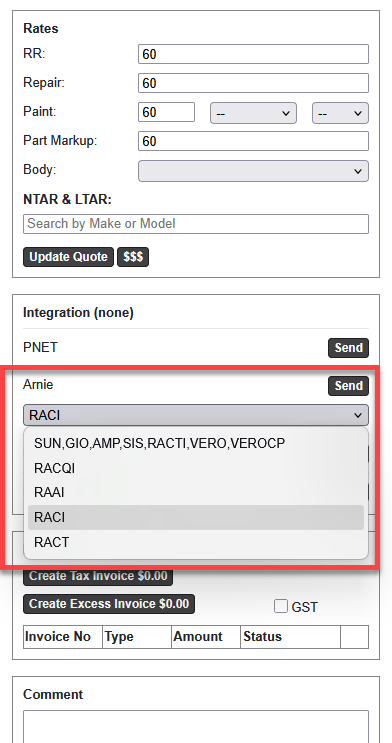
Sending a Quote & Photos
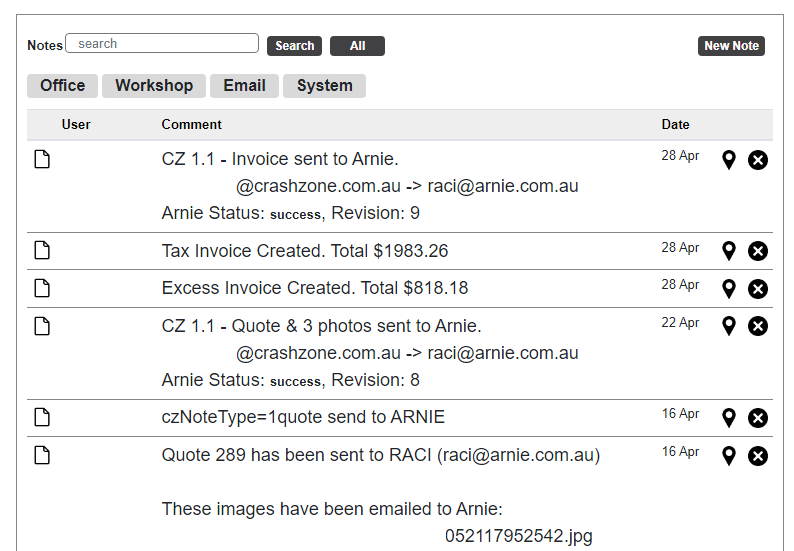
Supplementary QuoteOnce the main quote has been authorised, simply add the supplementary items below the existing quote and click Send again. Sending an InvoiceOnce the quote has been authorised, return to the Details page, create an invoice, and click Send again. |