Purchase CZ Coin | Crashzone 1.1 Web | Crashzone 1.1 App | ORM | ARNIE | PNET | Partscheck | Audatext | Estimage |

ORM Setup and User Guide

Setup ORM
- Before you can use ORM, you will need to contact IAG representative or the ORM help desk to request setup.
- ORM will send Crashzone account settings and we can activate ORM on your account.
- Please contact support@crashzone.com.au if you need any help with ORM
Retrieve the Request for Quote from ORM
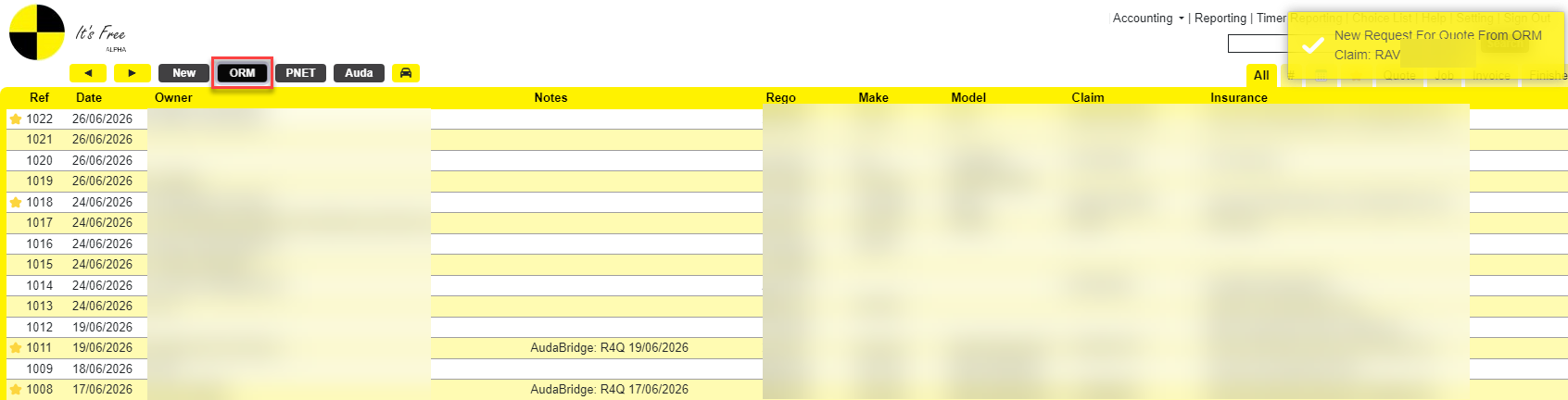
After logging in, return to the Main Page. The ORM button will be displayed.
Click ORM to retrieve the R4Q.
Sending a Quote & Photos
- Select a job.
- Fill in the required fields.
- Upload any photos you want to include.
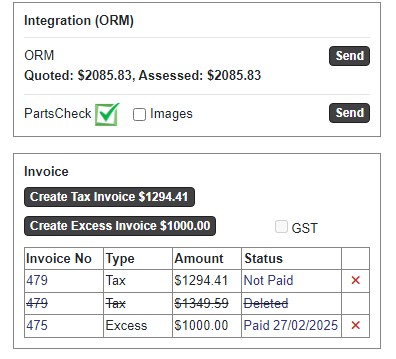
- Click ‘Send’ button.
- Select the photos you want to include, then press 'Submit' the quote and selected photos directly to ORM
- Click Send to ORM.
Supplementary Quote
Once the main quote has been authorised, simply add the supplementary items below the existing quote and click Send to ORM again.
Sending an Invoice
Once the quote has been authorised, return to the Details page, create an invoice, and click Send to ORM again.
Receiving Responses from ORM
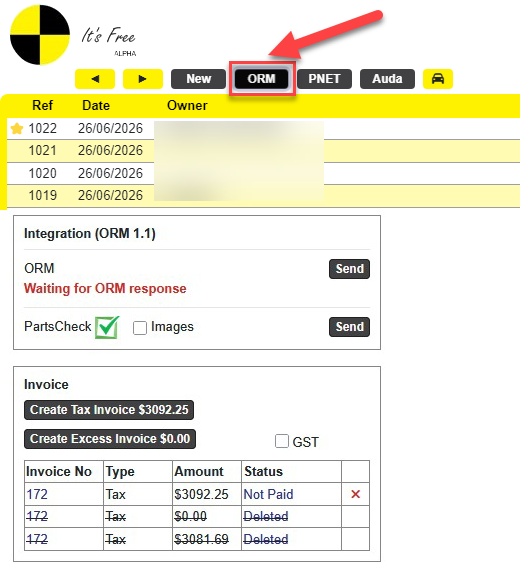
After sending the job successfully, please allow some time for ORM to process it and return a response.
To receive messages from ORM, return to the Main page and click the ORM button.